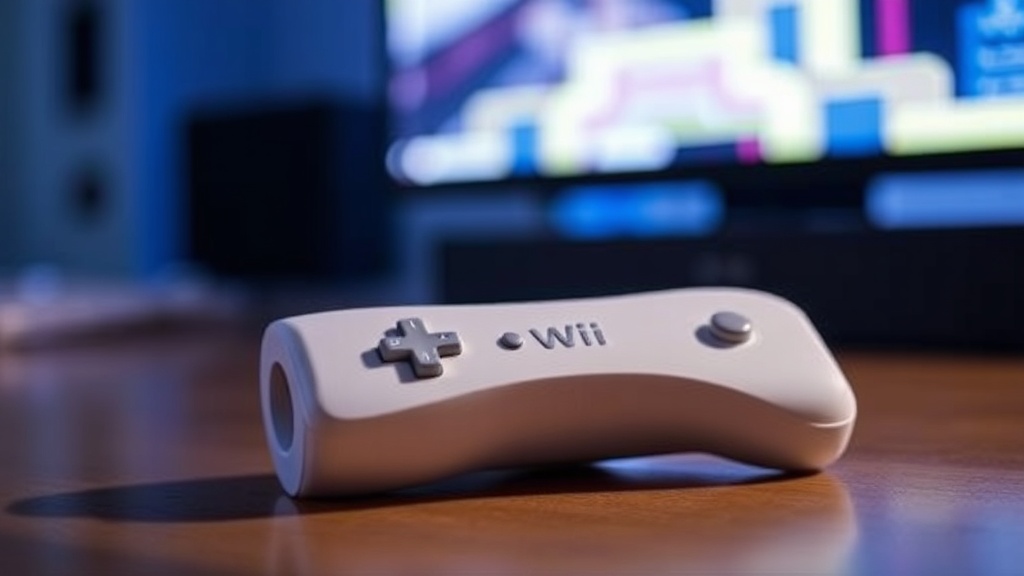
Preserving the Plastic Perfection of Wii Remote Silicone Covers

Most collectors assume that a silicone cover is a purely cosmetic addition, but it actually functions as a vital layer of defense for the hardware itself. This post examines the physical properties of silicone skins used for the Nintendo Wii Remote, how they prevent material degradation, and the specific maintenance steps required to keep your collection in museum-grade condition. If you're serious about preserving the tactile feel of your peripherals, you need to understand the chemical relationship between silicone and the plastic housing underneath.
Why Do Wii Remote Silicone Covers Degrade Over Time?
Silicone covers degrade primarily due to a process called polymer degradation caused by UV exposure and skin oils. While silicone is relatively stable, it isn't invincible. Over several years, the material can become either incredibly tacky or brittle, depending on how it was stored. This isn't just an aesthetic issue; a degraded cover can actually stick to the plastic of the Wii Remote, leaving behind a residue that is a nightmare to remove.
The culprit is often environmental. If you keep your Wii setup near a window, the UV rays break down the molecular bonds in the silicone. This leads to "melting" or a sticky texture that feels gross to the touch. It's a common sight in unmaintained collections. Even if you aren't playing the console, the material is slowly changing. (I've seen more than a few collectors throw out perfectly good remotes because the cover "melted" onto the buttons.)
The chemical composition of the cover matters too. High-grade medical silicone is much more stable than the cheaper, thinner versions found on secondary markets. If you're buying vintage-style accessories, check the density. A flimsy, thin cover won't offer much protection and is more prone to tearing at the stress points around the trigger and the B/A buttons.
To understand the science of how these materials react to light, you can look at the properties of silicone as a polymer. It's a fascinating bit of chemistry that most gamers never think about while playing Wii Sports Resort.
How Do I Prevent Silicone Sticking to My Wii Remote?
To prevent silicone from sticking to your Wii Remote, you must store the devices in a cool, dark, and dry environment away from direct sunlight. Temperature fluctuations are the enemy of stability. If a room gets too hot, the silicone softens and creates a vacuum-like seal against the plastic, making it nearly impossible to remove without damage.
Here are the best practices for maintaining your covers:
- Avoid Heat: Never leave your Wii remotes in a car or near a radiator. Heat accelerates the breakdown of the polymer.
- Controlled Humidity: High humidity can trap moisture between the cover and the remote, leading to potential discoloration.
- Regular Inspection: Every few months, take the cover off and check the plastic underneath for any signs of "tackiness."
- Dust Management: Use a soft, dry microfiber cloth to wipe the exterior. Avoid using harsh chemicals that might react with the silicone.
If you notice the cover is starting to feel slightly gummy, don't panic. You can often rescue it by a very gentle cleaning with a damp cloth and a tiny amount of mild, pH-neutral soap. But be careful—if the material has already begun to chemically break down, cleaning won't fix the structural change. At that point, the cover is a lost cause.
I often recommend reading up on official Nintendo hardware guidelines regarding environmental storage, even though they don't specifically mention silicone accessories. The general rule for electronics remains the same: stability is key.
It's also worth noting that the physical act of putting the cover on and off can cause micro-abrasions on the Wii Remote's plastic. If you're a perfectionist, you'll want to be extremely gentle during this process. A single jagged edge on a cheap cover can scratch the finish of a pristine Wii Remote.
Is It Better to Use a Cover or Leave the Remote Bare?
The decision to use a cover depends entirely on whether your priority is physical protection or long-term material stability. A cover protects against drops and sweat, but it introduces the risk of chemical degradation. A bare remote is more stable over decades but is much more vulnerable to immediate physical damage.
Let's look at the trade-offs. If you're a collector who intends to sell your items in the future, the "bare" approach is often safer for the hardware's long-term integrity. However, if you actually play the games, a cover is a lifesaver for the buttons.
| Feature | Silicone Cover Used | Bare Wii Remote |
|---|---|---|
| Drop Protection | High (Absorbs impact) | Low (Plastic can crack) |
| Button Lonicity | High (Prevents oil buildup) | Moderate (Natural wear) |
| Long-term Stability | Risky (Potential for sticking) | Excellent (Stable plastic) |
| Aesthetic Value | Customizable/Fun | Classic/Original |
If you're worried about the aesthetic look of your display, you might want to check out my post on avoiding sunlight damage to your display. It covers the same principles of light management that apply to your accessories.
For the casual player, a cover is a great way to add grip. The Wii Remote can feel a bit light and "plastic-y" during intense sessions of Wii Sports. A silicone skin adds a bit of weight and much-needed friction. But for the serious collector, the "bare" look is often the gold standard for preserving the original factory-fresh feel.
One thing to keep in mind: if you do use a cover, don't leave it on for years at a time without ever removing it. The constant pressure and lack of airflow can lead to localized discoloration. I always suggest a "seasonal" approach. Use the cover when you're actively playing, but strip it off when the console is in storage. This allows the plastic to "breathe" and prevents any potential bonding between the two materials.
The evolution of these accessories is quite interesting when you look at how Nintendo's design language changed. You can see the progression in my previous piece, The Evolution of Wii Sports Accessory Design. The Wii Remote was a breakthrough in motion, and the accessories that followed were meant to refine that experience.
When you're deciding on your collection strategy, think about your end goal. Are you a player first, or a curator first? If you're a player, go for the protection. If you're a curator, maybe keep the covers in a separate, airtight container and keep the remotes themselves bare. This ensures that even if a cover fails, your primary hardware remains untouched by the chemical breakdown of the silicone.
It's a fine line to walk. Most of us started out just wanting to play a game of tennis, but eventually, we become obsessed with the tiny details that make a collection truly special. Whether it's the texture of the buttons or the clarity of the plastic, those details matter.